Why e-paper
- It reflects light instead of emitting it. Like paper, it’s easy to read in daylight and doesn’t glow in a dark room.
- It holds its image with no power. The picture stays when the display is off, so it only uses power to change.
- It doesn’t pull at your attention. No backlight and no animation make it closer to a clock or a calendar than a screen.
How refreshing works
Changing an e-paper image moves tiny pigment particles. A full refresh usually flashes black and white first, to clear the last image cleanly, and takes a moment. That’s fine for information that changes every half hour, and wrong for anything animated. Good desk displays lean into it: they update on a schedule, then sit still.
Panels: size, shape and colour
- Ultrawide panels suit a desk. A 10.85-inch panel at 1360 × 480 pixels (a 2.83 : 1 shape) sits under a monitor without blocking it, and fits a row of figures side by side.
- Black and white panels are the sharpest and calmest. Some panels add red and yellow, or more colours, at the cost of slower refreshes.
- Pixels matter. Text and charts should be drawn for the panel’s exact resolution in pure black and white, not scaled from a screenshot, or they look smudged.
What’s inside one
- The panel and its driver board, which turns an image into the voltages that move the ink.
- A small Wi-Fi microcontroller, such as an ESP32-S3. It wakes, fetches the next image, draws it, and goes back to deep sleep.
- Power, usually USB-C, sometimes with a battery.
- A frame and a stand. This is the part that decides whether it looks like a gadget or belongs on a desk.
Where the data comes from
The hardest part isn’t the display, it’s the data. Some of what developers care about lives in cloud APIs, like GitHub. Some lives only on your computer: AI plan usage from tools like Claude Code and Codex, or dictation stats. A display that only talks to the internet can’t see the second kind.
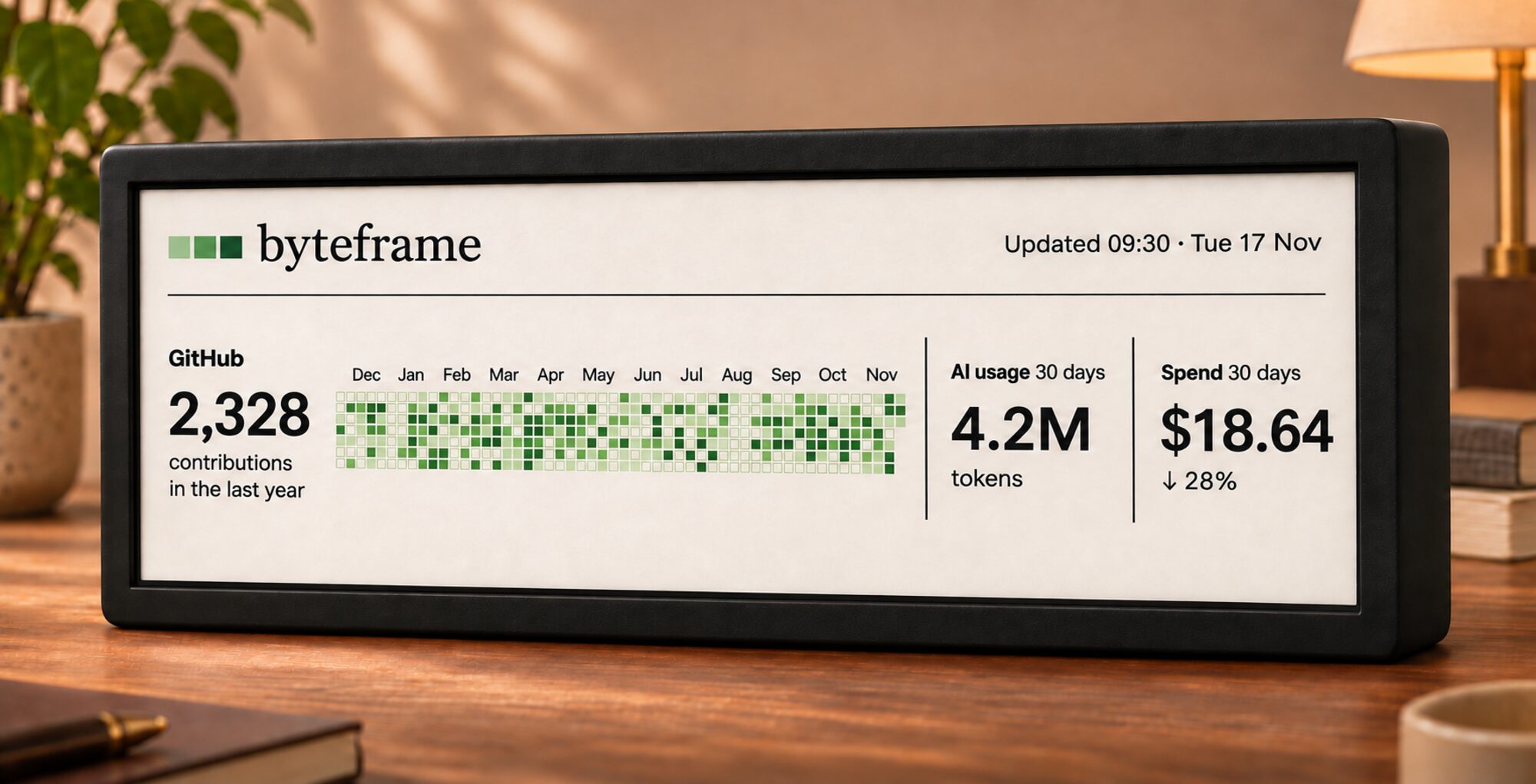
Byteframe, the frame (concept)
Byteframe’s frame is designed around that problem. The free Mac app already collects your numbers locally and draws each page in pure black and white at the panel’s exact 1360 × 480 resolution: its Panel Pixels look shows you exactly what the frame will draw. The plan is for the frame to fetch those pages from your Mac over your Wi-Fi, so nothing has to leave your home.
The frame is a concept in development, so the renders, parts and specifications may change. You can join the waitlist to hear when it’s ready, or try the Mac app now.